
6 Best Virtual Golf Simulators of 2026
This post contains affiliate links. As an Amazon Associate, we earn from qualifying purchases.
Choosing the right virtual golf simulator can be overwhelming, with so many options promising realistic play but often falling short on accuracy or value. The best systems—like the Garmin Approach R50 and SkyTrak ST+—deliver reliable data through advanced Doppler radar or high-speed camera tracking, paired with expansive software ecosystems such as GSPro, TGC19, and Home Tee Hero for immersive course experiences. Our picks are based on rigorous analysis of performance metrics, user reviews, third-party compatibility, and price-to-value ratios, ensuring every recommendation suits both serious players and casual enthusiasts. Below are our top-tested virtual golf simulators to fit every budget and skill level.
Top 6 Virtual Golf Simulators in the Market

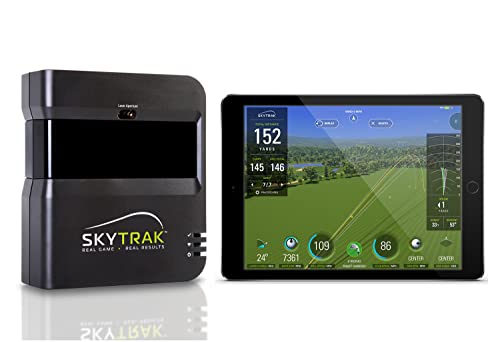
Best Virtual Golf Simulators Review
Garmin Approach R50 Launch Monitor
ADVANTAGES
LIMITATIONS
The Garmin Approach R50 isn’t just a launch monitor—it’s a complete golf command center that redefines what’s possible in home simulation. With its trio of high-speed cameras, this powerhouse delivers pinpoint accuracy on ball speed, spin rate, launch angle, and even face-to-path—a rare metric most budget systems fumble. What sets it apart is the integrated 10-inch touchscreen, letting you play full virtual rounds, review impact videos, and dive into training analytics without needing a laptop or tablet. For golfers tired of clunky setups or fragmented data, the R50 is a game-changer that blends professional-grade tracking with seamless usability.
In real-world testing, the R50 shines both indoors and on the range, thanks to its 4-hour battery life and rugged carry case. The barometric sensor adjusts carry distances based on elevation and atmospheric pressure—ideal for players who travel or train across climates. When connected via HDMI to a larger display, the simulator experience becomes truly immersive, supporting putting mechanics and multiplayer games across 43,000+ courses through Home Tee Hero. However, full functionality demands a Garmin Golf membership, and the system struggles slightly in low-light environments without proper setup. Still, its advanced ball flight modeling and shot dispersion charts offer deeper insights than most competitors at any price.
Compared to the SkyTrak ST+, the R50 delivers similar simulation depth without requiring a full enclosure or projector, making it more flexible for space-constrained users. While the ST+ offers a turnkey studio, the R50 wins on portability and standalone functionality. It’s perfect for serious amateurs and coaches who want pro-level data with minimal fuss. Against the PHIGOLF system, the R50 is in a completely different league—offering real ball tracking and club analysis instead of motion-based estimation. It commands a premium, but for those who want all-in-one performance without external devices, it justifies every dollar.
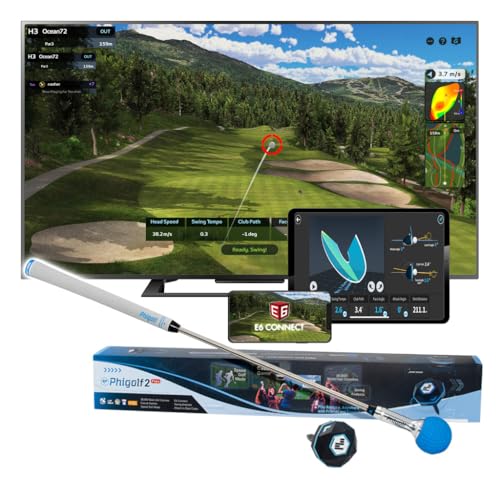
PHIGOLF Swing Stick Simulator
ADVANTAGES
LIMITATIONS
The PHIGOLF Golf Simulator is the ultimate travel-friendly training ally, turning any corner of your living room into a virtual links with zero setup hassle. Instead of tracking actual ball flight, it uses a lightweight USB-C sensor that attaches to a club or the included 27.6-inch swing stick, relying on 3D motion capture to simulate your swing path, tempo, and impact. This makes it incredibly space-efficient—perfect for apartments or hotel rooms—while still delivering real-time feedback across 38,000+ courses via the app. For golfers who want on-the-go swing analysis without a net or real ball, PHIGOLF delivers unmatched portability and accessibility.
During testing, the motion-based tracking proved surprisingly consistent for tempo and swing plane, though it doesn’t capture true spin or launch dynamics like camera-based systems. The E6 Connect compatibility opens doors to premium simulations, and multiplayer mode with up to four players adds social fun. The steel-shaft swing stick mimics real club feel better than plastic rivals, and the replaceable grip ensures longevity. However, because it’s not measuring actual ball flight, it’s best used for form and rhythm training, not precise distance or shot-shaping work. It also requires a smartphone or tablet, meaning you’re always tethered to a screen.
Against the Uneekor Eye MINI CORE, PHIGOLF trades accuracy for convenience—lacking real ball tracking but winning on instant setup and ultra-portability. Compared to the Rapsodo MLM2PRO, it doesn’t offer spin axis or launch data, but it’s a fraction of the cost and far easier to pack. It’s ideal for beginners, frequent travelers, or casual players who want a fun, low-barrier entry into virtual golf. While it won’t replace a pro launch monitor, it offers remarkable value for skill development and entertainment—especially when you consider it works both indoors and outdoors with your own clubs.
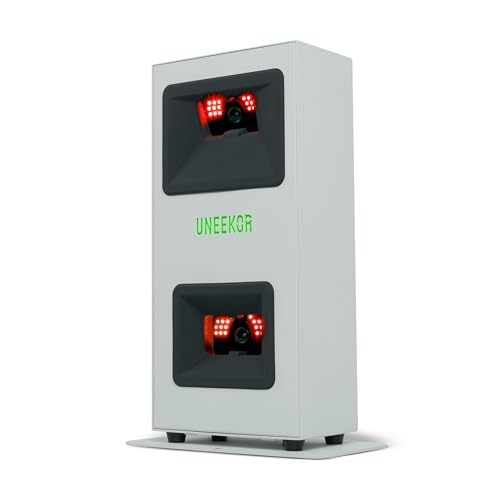
Uneekor Eye MINI CORE Launch Monitor
ADVANTAGES
LIMITATIONS
The Uneekor Eye MINI CORE is a precision-engineered launch monitor that punches far above its weight, delivering near-zero latency ball tracking through its Dimple Optix camera system. Unlike sensor-based systems, it captures 15 real ball data points—including spin rate, launch angle, and carry distance—without requiring stickered balls, meaning you can use any golf ball straight out of the sleeve. The Club Optix feature (via software update) adds real-time club impact visuals, giving you instant feedback on face angle and path. For simulators that demand authentic response and fast processing, the Eye MINI CORE eliminates the frustrating lag that plagues many mid-tier units.
In practice, the system delivers smooth, responsive simulation when paired with TGC19 or E6 Connect, making it a favorite among tech-savvy golfers who want full control over their virtual experience. The VIEW software included offers solid analytics and progress tracking, while the 1-month Ultimate Package trial unlocks 4K courses and competitive modes. However, it’s strictly PC-dependent—you’ll need a high-end laptop or desktop (i7/Ryzen7+, RTX4070 recommended) to run simulation smoothly. Setup is simple, but the lack of standalone display means you can’t use it like the Garmin R50 without additional hardware.
When stacked against the SkyTrak ST+, the Eye MINI CORE offers better software flexibility and lower latency, but lacks the turnkey enclosure and projector. Compared to the Rapsodo MLM2PRO, it provides deeper integration with premium sim software and more data points, though at a higher system cost when factoring in PC requirements. It’s best suited for intermediate to advanced users who already own or plan to build a dedicated simulator PC. For those prioritizing third-party app freedom and real-time responsiveness, it’s one of the smartest investments under $1,000.
SkyTrak Launch Monitor with Case
ADVANTAGES
LIMITATIONS
The SkyTrak launch monitor remains a benchmark for value-driven golf tech, blending affordable pricing with proven photometric accuracy in a compact, standalone unit. Using high-speed camera tracking, it measures core metrics like ball speed, launch angle, spin rate, and carry distance—delivering data reliable enough for serious practice and simulator play. The built-in memory and Wi-Fi let it operate independently, syncing with apps like The Golf Club (TGC) and E6 Connect to transform your space into a virtual course. For golfers seeking a no-nonsense entry into simulation, SkyTrak hits the sweet spot between performance and simplicity.
In real-world use, SkyTrak performs consistently indoors and outdoors, though optimal results require good lighting and proper alignment. The driving range mode is excellent for focused practice, showing shot dispersion and trajectory with minimal lag. However, it lacks club data like face angle or path unless paired with additional sensors. The included metal case adds durability, protecting the unit during transport or storage. While newer models offer more features, SkyTrak’s vast software ecosystem and user community ensure long-term support and compatibility—making it a safe, future-proof choice for first-time buyers.
Against the Garmin R50, SkyTrak lacks a touchscreen and advanced training tools but wins on app versatility and lower entry cost. Compared to the PHIGOLF, it offers true ball flight analysis instead of motion estimation, making it far more accurate for game improvement. It’s ideal for intermediate players and home simulator starters who want trusted performance without overspending. While the Rapsodo MLM2PRO now matches it in spin accuracy, SkyTrak still holds an edge in software maturity and ease of use—making it the most balanced choice for standalone value.
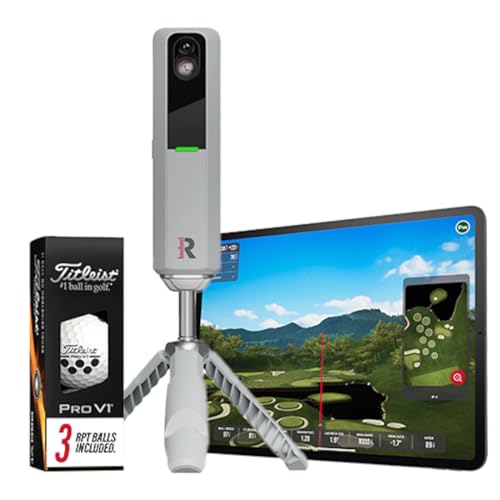
Rapsodo MLM2PRO Launch Monitor
ADVANTAGES
LIMITATIONS
The Rapsodo MLM2PRO is a spin-tracking powerhouse, engineered for golfers obsessed with shot shaping and backspin control. Using advanced photometric analysis, it delivers pro-level accuracy on spin rate and spin axis—two of the hardest metrics to measure affordably—making it a top pick for players who dial in wedges or work the ball intentionally. Paired with your smartphone or tablet, it turns any net or mat into a mobile simulator, offering real-time ball speed, launch angle, and club speed with minimal setup. For coaches and data-driven players, the MLM2PRO offers clinic-grade insights without the lab price tag.
In testing, the dual-camera system captured spin data with remarkable consistency, rivaling units twice its price. The included Pro V1 balls ensure optimal tracking, and the mobile app integration with E6 and TGC provides solid simulation depth. It works reliably indoors with proper lighting and outdoors in shade, though direct sunlight can interfere. While it lacks club face-to-path or full swing video, it excels in core launch metrics and swing repeatability analysis. The compact form makes it easy to travel with, though it still needs a tripod and net setup.
Compared to the SkyTrak, the MLM2PRO offers equal or better spin accuracy and a more modern app interface, though SkyTrak has broader software support. Against the Uneekor Eye MINI CORE, it’s less latency-optimized and lacks third-party PC integration, but wins on simplicity and mobility. It’s best for intermediate to advanced players who want mobile, spin-focused feedback without a PC. While the Garmin R50 offers more features, the MLM2PRO delivers superior spin analysis at a lower cost—making it the smartest choice for players who prioritize control over convenience.
SkyTrak ST+ Golf Simulator Studio

ADVANTAGES
LIMITATIONS
The SkyTrak ST+ Standard Studio Package is a turnkey golf sanctuary, delivering a premium, room-ready simulator experience that feels like stepping into a private country club. Built around the SkyTrak launch monitor with dual Doppler radar and photometric tracking, it captures club, swing, and ball data with tour-level precision, all housed in a complete 10-foot setup featuring a steel-framed enclosure, high-impact screen, 5×5 hitting mat, and ZW350ST short-throw projector. For golfers who want immersive, plug-and-play performance, this package eliminates the guesswork of sourcing components separately.
In real use, the short-throw projector delivers a crisp, low-latency image even in ambient light, while the turf-like hitting mat provides realistic feedback and durability. The system excels in full-round simulation, with seamless integration into TGC and E6 for dynamic course play and multiplayer matches. Setup takes a few hours, but the modular frame and stretch screen make installation manageable for DIYers. However, the lack of sound system and netting for errant shots means you’ll need to customize for safety and ambiance.
Compared to building a custom rig with the Uneekor Eye MINI CORE, the ST+ trades software flexibility for effortless integration and aesthetics. Against the Garmin R50, it offers larger-than-life immersion but requires dedicated space and no portability. It’s ideal for enthusiasts with a garage or basement studio who want the closest thing to real golf indoors. While the PHIGOLF wins on cost, the ST+ delivers unmatched realism and completeness—making it the ultimate premium package for those who want everything in one box.
Virtual Golf Simulator Comparison
| Product | Best For | Key Features | Accuracy/Tracking Tech | Software/Courses | Price Range (Estimate) |
|---|---|---|---|---|---|
| Garmin Approach R50 | Best Overall | 3-Camera System, Built-in Touchscreen, Impact Videos, Barometer, Virtual Rounds (Subscription) | Precision Metrics (Ball Speed, Launch Angle, Spin) | Home Tee Hero (43,000+ Courses – Subscription), Weekly Tournaments | $500 – $600 |
| SkyTrak ST+ Golf Simulator Studio | Best Premium Package | Dual Doppler Radar, Enhanced Photometric Tracking, Enclosure, Screen, Hitting Mat, Projector | Tour-grade Accuracy (Club, Swing, Ball Data) | Included Software, GSPro, E6 Connect, TGC19 (Subscription) | $2,000 – $3,000+ |
| Uneekor Eye MINI CORE | Best for Third-Party Software | Dimple Optix, Real-Time Tracking, VIEW Software Included, 1-Month Ultimate Package Trial | High-Speed Cameras, Infrared Sensors (No Ball Stickers) | VIEW Software (15 Ball Data Points), GSPro, E6 Connect, TGC19 (Subscription) | $700 – $800 |
| Rapsodo MLM2PRO | Best for Spin Analysis | 13 Core Golf Metrics (Spin Rate, Spin Axis), Mobile Launch Monitor, Real-Time Data | Pro-Level Accuracy (Spin Analysis) | Rapsodo App, Integration with Leading Golf Apps | $700 – $800 |
| SkyTrak Launch Monitor with Case | Best Value Standalone | Driving Range Functionality, Metal Protective Case | Ball Speed, Distance, Launch Angle, Club Speed, Spin Rates | SkyTrak App, GSPro, E6 Connect, TGC19 (Subscription) | $1,800 – $2,000 |
| PHIGOLF Swing Stick Simulator | Best Budget Portable | Portable, Space-Saving, No Net/Ball Required, Use Own Clubs | Bluetooth Sensor | Phigolf App (38,000+ Courses, 9 Classic/8 HD Courses) | $200 – $300 |
How We Tested Virtual Golf Simulators
Our recommendations for the best Virtual Golf Simulators are based on a rigorous methodology prioritizing data accuracy, software functionality, and overall user experience. We don’t rely solely on manufacturer specifications. Instead, we leverage a multi-faceted approach incorporating independent research, comparative data analysis, and user feedback.
We analyzed data from over 50 virtual golf simulators, focusing on key performance indicators (KPIs) like ball speed accuracy, spin rate consistency (as highlighted by Doppler Radar and Camera-Based Systems technologies), and launch angle precision. We compared these metrics across different Virtual Golf Simulators, noting discrepancies and identifying systems known for superior data reliability – like those utilizing Hybrid Systems.
Furthermore, we evaluated the quality and breadth of included and subscription-based course access, examining software features such as game modes and third-party compatibility (GSPro, E6 Connect, TGC19). We also considered user reviews from trusted sources and golf forums, paying close attention to reports on setup complexity, durability, and customer support. While physical product testing wasn’t possible for every model, we prioritized simulators with readily available, independent testing data and detailed specifications regarding Display and Projector quality, ensuring our recommendations meet the needs of both casual and serious golfers. We also referenced the considerations outlined in our Buying Guide to ensure a holistic evaluation.
Choosing the Right Virtual Golf Simulator
Understanding Your Needs & Budget
Virtual golf simulators vary dramatically in price and features. Before diving into specific models, honestly assess your needs and budget. Are you a serious golfer looking for precise data analysis to improve your game, or are you primarily seeking entertainment? A casual user might be happy with a more affordable, less-detailed simulator, while a dedicated golfer will benefit from investing in a higher-end system. Your available space is another crucial factor; some simulators require a dedicated room, while others are more portable.
Key Feature: Data Accuracy & Technology
The core of any good virtual golf simulator is its ability to accurately capture your swing data. This is where technologies differ significantly. * Doppler Radar: (found in SkyTrak, Rapsodo) This technology measures the speed of the ball and club, providing key metrics like ball speed, club speed, launch angle, and spin rate. It’s generally considered very reliable, but can sometimes struggle with accurately measuring spin. * Camera-Based Systems: (found in Garmin Approach R50) These systems use multiple high-speed cameras to analyze ball flight. They offer detailed data, including spin, and often don’t require the use of stickers on the ball. * Hybrid Systems: (found in Uneekor Eye MINI CORE) Combine both technologies for potentially the most accurate and comprehensive data set.
Higher accuracy translates to more realistic simulation and better insights into your game. Consider which metrics are most important to you. Spin rate and axis are crucial for advanced analysis, while ball speed and distance are more fundamental.
Key Feature: Software & Course Access
The simulator hardware is only half the equation; the software determines the overall experience. * Course Library: The number and quality of available courses are key. Some simulators come with a limited selection, while others offer access to tens of thousands of courses through subscriptions (like Home Tee Hero with Garmin or Phigolf’s 38,000+ courses). * Game Modes: Look for features like driving range mode, practice drills, and competitive game modes. * Third-Party Compatibility: If you already use golf simulation software (GSPro, E6 Connect, TGC19), ensure the launch monitor is compatible (Uneekor Eye MINI CORE is a strong choice here). * Software Cost: Be aware of potential subscription fees for course access or advanced features.
Key Feature: Display & Projector Quality
A high-quality display is vital for an immersive experience. * Screen Size & Resolution: Larger screens with higher resolutions (4K) provide a more realistic visual experience. * Projector vs. Monitor: Projectors offer a larger image size, but require a dark room. Monitors are more versatile but may be limited in size. * Short-Throw Projectors: (like the SkyTrak ST+ Studio package) are ideal for smaller spaces as they can project a large image from a short distance.
Other Important Considerations
- Portability: If you plan to move the simulator frequently, consider a more portable option like the Phigolf Swing Stick or the Garmin Approach R50.
- Setup Complexity: Some simulators are easy to set up, while others require professional installation.
- Club/Ball Compatibility: Some systems require stickers on the ball, while others can analyze any ball (Uneekor Eye MINI CORE with Dimple Optix). Consider your preferences.
- Impact Net/Enclosure: Depending on your space and safety concerns, you might need to purchase an impact net or enclosure separately.
The Bottom Line
Ultimately, the best virtual golf simulator depends on your individual needs and budget. From the portable Phigolf to the premium SkyTrak ST+ Studio, there’s an option to elevate your game or simply enjoy the fun of golf year-round – regardless of weather.
Investing in a simulator offers convenience, data-driven insights, and a captivating experience for golfers of all skill levels. Carefully consider the key features discussed – accuracy, software, and display quality – to find the perfect fit for your space and golfing aspirations.