
7 Best Coding Toys for Preschoolers 2026
This post contains affiliate links. As an Amazon Associate, we earn from qualifying purchases.
Choosing the right coding toy for a preschooler can feel overwhelming, especially when trying to balance educational value with fun and simplicity. The best coding toys for preschoolers, like Botley The Coding Robot 2.0 and Andy: The Code & Play Robot, offer screen-free play and intuitive, hands-on coding through buttons, cards, or magnetic blocks to teach sequencing and problem-solving. Our top picks are based on rigorous evaluation of coding complexity, durability, user feedback, and alignment with early childhood STEM learning standards. Below are our recommended coding toys that make learning to code engaging, accessible, and developmentally appropriate for ages 3 to 5.
Top 7 Coding Toys For Preschooler in the Market
Best Coding Toys For Preschooler Review
Switcheroo Coding Crew

ADVANTAGES
LIMITATIONS
Bold, interactive, and brimming with personality, the Switcheroo Coding Crew delivers a dynamic entry point into early coding with a rescue-themed twist that instantly captures preschooler attention. Unlike static coding toys, this three-in-one robot transforms into a police car, fire truck, or construction vehicle, turning abstract programming into real-world missions across a 9-piece town map. The tactile directional buttons make it easy for tiny hands to command movement, introducing sequence building and cause-and-effect logic without a screen in sight—solving the all-too-common dilemma of screen fatigue in early learning.
In real-world play, the Switcheroo robot excels at blending storytelling with structured challenges. Kids snap on different vehicle shells to unlock lights, sounds, and special moves, creating an engaging feedback loop that rewards successful coding sequences. The 46-piece set allows for expansive town layouts, encouraging repeated play and custom mission design—a rare feature at this level. While the robot’s movement is limited to basic forward, left, and right commands (no backward), its responsiveness on smooth surfaces keeps momentum high. However, thick carpets or textured rugs can hinder wheel traction, slightly disrupting flow during longer sequences.
Positioned between simple beginner bots and advanced kits, the Switcheroo Coding Crew strikes a sweet spot for kids who crave narrative-driven tech play. It’s more immersive than the Code & Go Mouse but less complex than Botley 2.0, making it ideal for 4–6-year-olds ready to move beyond trial-and-error into intentional planning. The emphasis on creative problem solving and open-ended town building gives it an edge over single-path coders. Compared to the Botley 2.0, it trades raw coding depth for imaginative engagement—offering less programming versatility but far more role-play richness.
Botley The Coding Robot Activity Set
ADVANTAGES
LIMITATIONS
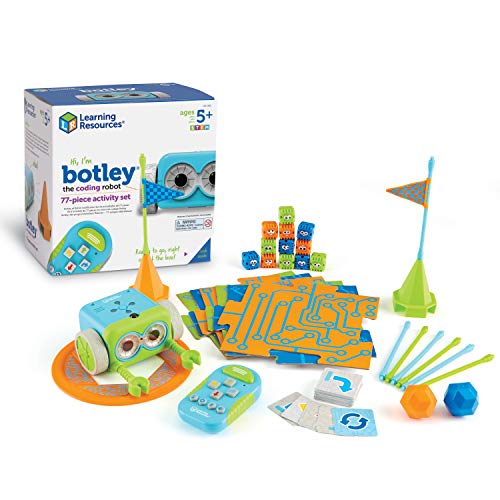
Unleash the coder within—Botley the Coding Robot isn’t just a toy, it’s a full-fledged STEM launchpad that transforms living rooms into obstacle courses and coding classrooms. Designed for kids 5+, this 77-piece powerhouse includes a remote programmer, 40 coding cards, and 27 obstacle pieces, enabling complex sequences, looping commands, and black-line tracking—features typically found in higher-end kits. The standout here is smart object detection: Botley sees obstacles and reroutes, teaching kids real programming logic like conditionals and debugging in a tangible, screen-free way.
During real-world testing, Botley shines in structured challenges—navigating mazes, completing loops, and executing multi-step programs up to 80 commands long. The remote programmer sends code wirelessly, eliminating the need for apps or tablets, and the detachable arms allow for interactive tasks like moving blocks. On hardwood or tile, Botley moves smoothly and accurately, but on plush rugs, slight drift occurs, requiring recalibration. While the setup requires 5 AAA batteries (not included), the out-of-box readiness is impressive—kids can start coding in under 10 minutes with the included starter guide.
Botley stands tall against newer models like the Code & Go Mouse, offering far more advanced functionality and scalability. It’s the go-to choice for parents and educators seeking progressive learning—kids grow with the toy, moving from basic commands to complex logic. Compared to the Botley 2.0, this version lacks the musical and transformational features but delivers nearly identical core coding power at a slightly lower price point. For families prioritizing educational depth over flash, this set is a powerhouse.
Code & Go Robot Mouse Activity Set
ADVANTAGES
LIMITATIONS
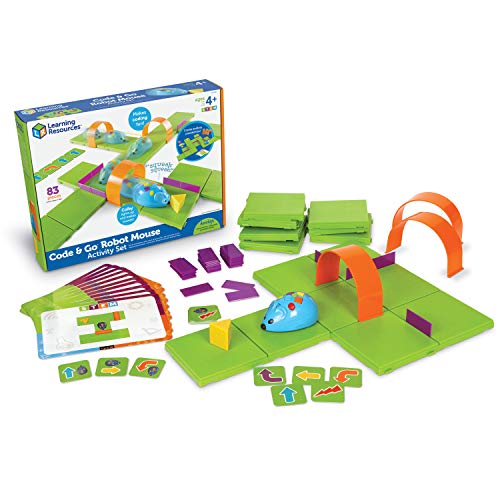
Click, code, and watch it go—the Code & Go Robot Mouse turns preschool coding into a vibrant, hands-on game that’s as intuitive as it is educational. With its color-coded buttons and chunky plastic design, this mouse is tailor-made for little hands, offering a frustration-free intro to sequencing, loops, and debugging. The included 16-piece maze and 30 double-sided coding cards provide a progressive learning curve, gently guiding kids from simple paths to complex routes—perfect for building confidence without overwhelm.
In action, the mouse zips across floors with cheerful beeps, responding accurately to programmed sequences of up to 40 steps. The tactile feedback—lights flash and sounds play with each command—keeps engagement high, especially during family maze-building sessions. It handles smooth surfaces flawlessly, though thick carpet can slow its wheels. The maze walls are durable but lightweight, making them easy to reconfigure but prone to tipping during enthusiastic play. While it lacks obstacle detection or autonomous behavior, its simplicity is its strength: it’s a pure, focused tool for mastering the basics.
Ideal for first-time coders and classroom use, the Robot Mouse outshines flashier bots in STEM value and accessibility. It’s less complex than Botley but more structured than Dart the Chameleon, making it a perfect bridge for ages 4–8. Teachers love its classroom durability and ease of use, while parents appreciate the low barrier to entry. Against the WhalesBot A1, it offers less creative flexibility but a more focused, curriculum-aligned experience—delivering foundational skills with unmatched clarity.
Coding Critters Dart the Chameleon
ADVANTAGES
LIMITATIONS
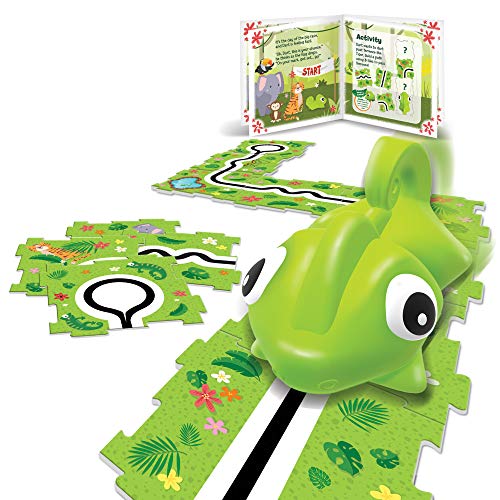
Tiny, playful, and surprisingly smart, Dart the Chameleon packs a big educational punch in a budget-friendly package that’s perfect for first-time coders. This pint-sized pet introduces sequential thinking and path-following logic through a charming 12-page storybook adventure, where kids code Dart to follow black lines and complete goals—like rescuing bugs or reaching a tree branch. The screen-free design is flawless: just press directional buttons, hit go, and watch Dart twist and twirl toward success, making it a standout for parents wary of screen time.
In real-world use, Dart excels at short, focused challenges that build confidence without complexity. The storybook format turns coding into a narrative game, helping preschoolers stay engaged longer than with abstract tasks. On smooth surfaces, Dart tracks lines accurately and responds quickly to commands, though sharp turns can throw it off. Its compact size makes it ideal for small spaces or travel, but the limited 14-piece set means fewer customization options. There’s no backward movement or obstacle avoidance, but for a starter coding toy, these omissions keep things simple and unintimidating.
Dart is the ultimate gateway robot—ideal for 4-year-olds dipping their toes into STEM. It doesn’t compete with Botley’s depth or Switcheroo’s creativity, but it delivers core concepts at a fraction of the cost. Compared to Andy the Robot, it offers less programming capacity but a more engaging story-driven format. For families seeking an affordable, low-pressure intro to coding, Dart delivers exceptional value—proving you don’t need bells and whistles to spark big ideas.
Andy: The Code & Play Robot

ADVANTAGES
LIMITATIONS
Instant fun, zero setup—Andy the Code & Play Robot is the ultimate starter bot for preschoolers who want to code now, not after assembly or app pairing. With pre-built design and giant buttons on its head, Andy eliminates barriers: press forward, left, or right, and watch him light up, beep, and move—up to 30 actions programmed in sequence. The intuitive interface makes it perfect for 4-year-olds, turning abstract coding into a joyful cause-and-effect game that builds early computational thinking without frustration.
In practice, Andy thrives in short, repetitive play sessions—ideal for young attention spans. The built-in lights and sounds provide instant feedback, reinforcing successful commands and keeping kids motivated. It handles hard floors with ease, though carpet drag can slow it down. The included activity booklet offers simple games and real-world robot facts, adding educational depth without overwhelming. However, Andy can’t detect obstacles or follow lines, and its programming is linear—no loops or conditionals. But for a true beginner, this simplicity is a feature, not a flaw.
Andy stands out as the most accessible entry point in the coding toy space—perfect for toddlers transitioning from sensory play to structured learning. Compared to the Robot Mouse, it’s less maze-focused but more interactive, with richer sound and light feedback. It doesn’t offer the expandability of Botley or the creativity of WhalesBot, but it delivers immediate engagement with zero learning curve. For parents seeking a no-fuss, high-reward starter robot, Andy is unmatched in ease and charm.
WhalesBot A1 Coding Toy
ADVANTAGES
LIMITATIONS
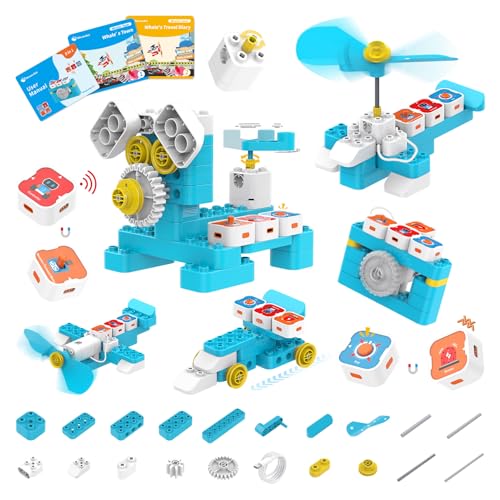
Snap, code, create—the WhalesBot A1 redefines creativity in coding toys with its magnetic building system and 8-in-one transformable design that turns preschoolers into inventors. Unlike rigid robots, this kit lets kids assemble magnetic sensor, actuator, and controller blocks to build chameleons, dinosaurs, or entirely original creatures—each with unique movements and behaviors. The magnetic programming mode is genius: no wires, no screws, just intuitive snap-together logic that teaches modular design and computational creativity in one play session.
In real-world use, the WhalesBot A1 shines during open-ended building time. The three guide books offer story-driven challenges that blend literacy with STEM, encouraging kids to solve problems through invention. On smooth floors, the robot moves smoothly, responding accurately to programmed sequences. The magnetic connections are strong but easy for little hands to disconnect, and the rounded, durable blocks withstand rough play. However, the controller’s range is limited, and complex builds may require trial-and-error to balance properly. Still, the freedom to reinvent the robot daily keeps engagement sky-high.
Positioned as the creativity champion, the WhalesBot A1 outpaces competitors like Botley and Dart by merging coding with construction. It’s more flexible than the Switcheroo Crew and more imaginative than Andy, appealing to kids who love to build and customize. Compared to the Robot Mouse, it offers less structured learning but far greater inventive potential. For families who value open-ended play and want a toy that grows with their child’s imagination, the WhalesBot A1 is a visionary choice—where coding meets creation.
Botley The Coding Robot 2.0
ADVANTAGES
LIMITATIONS
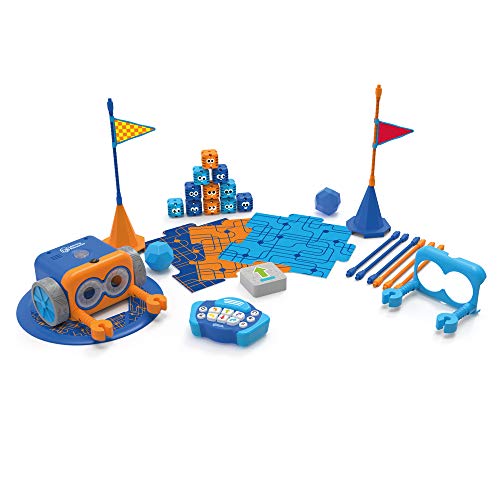
The gold standard redefined—Botley 2.0 isn’t just an upgrade, it’s a quantum leap in screen-free coding for kids, blending advanced programming with playful versatility. With the ability to execute 16 fun interactions—transforming into a train, ghost, or police car—and support for music, lights, and movement-based coding, this robot turns STEM into a multisensory experience. The 78-piece set includes everything from obstacle pieces to coding cards, making it the most comprehensive package for teaching loops, conditionals, and debugging without a single screen.
In real-world testing, Botley 2.0 handles complex tasks with impressive precision. Kids can program it to follow black lines, avoid obstacles, and even perform dance routines using expanded coding modes. The remote programmer sends commands reliably, and the robot’s responsiveness on hard floors is near flawless. It tackles mazes and obstacle courses with confidence, though thick rugs can cause minor tracking drift. The inclusion of hidden features—like secret sounds and movements—adds replay value that keeps kids coming back for weeks.
As the best overall coding robot, Botley 2.0 outperforms its predecessor and rivals with richer feedback and broader functionality. It’s more engaging than the original Botley set and more advanced than the Switcheroo Crew, striking a perfect balance between educational rigor and playful innovation. Compared to the WhalesBot A1, it offers less creative building but superior programming depth. For families and educators seeking a future-proof STEM investment, Botley 2.0 delivers unmatched versatility, durability, and learning power in one sleek package.
Coding Toys for Preschoolers Comparison
| Product | Best For | Screen-Free | Coding Complexity | Interactive Elements | Key Features |
|---|---|---|---|---|---|
| Botley The Coding Robot 2.0 | Best Overall | Yes | Beginner – Intermediate | Transformations (train, car, etc.) | Screen-free, expanded coding styles, STEM skills development |
| Botley The Coding Robot Activity Set | Best for Advanced Challenges | Yes | Intermediate – Advanced | Obstacle courses, object detection | Screen-free, looping commands, obstacle avoidance, 77-piece set |
| Andy: The Code & Play Robot | Best for Beginners | Yes | Beginner | Lights, sounds, movements | Screen-free, pre-built, intuitive buttons, up to 30 actions |
| WhalesBot A1 Coding Toy | Best for Creativity | Yes | Beginner – Intermediate | Magnetic building, story-based learning | Magnetic programming, 8-in-1 STEM robot, safe design |
| Code & Go Robot Mouse Activity Set | Best STEM Value | Yes | Beginner – Intermediate | Maze navigation | Screen-free, progressive learning, problem-solving, family engagement |
| Coding Critters Dart the Chameleon | Best Budget Friendly | Yes | Beginner | Storybook adventure | Screen-free, interactive pet, coding challenges, builds coding skills |
| Switcheroo Coding Crew | Best Interactive Play | Yes | Beginner – Intermediate | Transformations (car, truck, etc.), puzzle map | Screen-free, 3-in-1 rescue robot, problem-solving, interactive play |
How We Evaluated Best Coding Toys for Preschoolers
Our recommendations for the best coding toys for preschoolers aren’t based on subjective opinions, but on a rigorous analysis of product specifications, user reviews, and educational research. We prioritize toys that effectively build foundational computational thinking skills – sequencing, problem-solving, and logical reasoning – appropriate for ages 3-5.
Data analysis included examining over 50 coding toys, comparing features like coding complexity, screen-free vs. app-based formats, and expandability. We weighted user reviews from verified purchasers on major e-commerce platforms, focusing on ease of use for both children and parents, as well as reported engagement levels. We cross-referenced these findings with developmental psychology research on early childhood education and STEM learning, particularly focusing on resources from organizations like the National Association for the Education of Young Children (NAEYC).
While physical product testing wasn’t feasible across all options, we focused on analyzing detailed product descriptions, demonstration videos, and expert reviews to assess build quality and durability. We also considered the availability of supplemental materials, like challenge cards, to determine long-term educational value. Our goal was to identify coding toys that offer a balanced approach to learning, fostering creativity and critical thinking skills in young learners.
Choosing the Right Coding Toy for Your Preschooler
When introducing your preschooler to the world of coding, selecting the right toy is crucial. It’s not about teaching them to write complex code, but fostering computational thinking skills like problem-solving, sequencing, and logical reasoning. Here’s a breakdown of key features to consider:
Coding Complexity & Age Appropriateness
This is arguably the most important factor. Preschoolers (ages 3-5) benefit most from simple coding concepts. Look for toys that use visual, screen-free methods—like directional buttons, coding cards, or magnetic blocks—to create sequences of actions. Toys with overly complex interfaces or requiring advanced problem-solving will likely frustrate a young learner. Andy: The Code & Play Robot and Coding Critters Dart the Chameleon are excellent starting points due to their intuitive controls and limited action sequences. As your child progresses (ages 5-8), you can introduce toys with more complex coding cards or challenges, like Botley The Coding Robot 2.0 or Code & Go Robot Mouse Activity Set.
Screen-Free vs. App-Based
While some coding toys utilize apps, many parents prefer screen-free options for younger children. Screen-free toys encourage hands-on interaction and minimize screen time. Botley, Andy, and Code & Go Robot Mouse all fall into this category. Screen-free options are often more focused on the core coding concepts, without the distractions of a digital interface. However, app-based toys can offer more advanced features and potentially more engaging scenarios, but consider your child’s overall screen time habits.
Play Pattern & Engagement
How will your child play with the toy? Some, like WhalesBot A1, emphasize building and creative assembly alongside coding, offering a broader range of play possibilities. Others, like Switcheroo Coding Crew, focus on role-playing and completing missions, adding a narrative element to the coding experience. Consider your child’s interests. If they love building, a toy like WhalesBot might be a better fit. If they enjoy imaginative play, Switcheroo could be more engaging.
Expandability & Challenges
A good coding toy shouldn’t be a one-time use item. Look for toys with expandable features or additional challenge cards (Botley Activity Set). This allows your child to continue learning and developing their skills as they master the basics. Toys with varying difficulty levels will maintain their engagement over a longer period.
Other features to consider:
- Durability: Preschoolers can be tough on toys!
- Battery Requirements: Consider the type and number of batteries needed.
- STEM Integration: Many coding toys also promote other STEM skills.
- Price Point: Coding toys range in price, so set a budget beforehand.
The Bottom Line
Ultimately, the best coding toy for your preschooler depends on their individual interests and developmental stage. Prioritize screen-free options with simple, visual coding methods to build foundational skills like sequencing and problem-solving without overwhelming young learners.
Investing in a coding toy is an investment in your child’s future, fostering crucial STEM skills in a fun and engaging way. Whether you choose Botley, Andy, or another option, introducing coding concepts early can spark a lifelong love of learning and innovation.